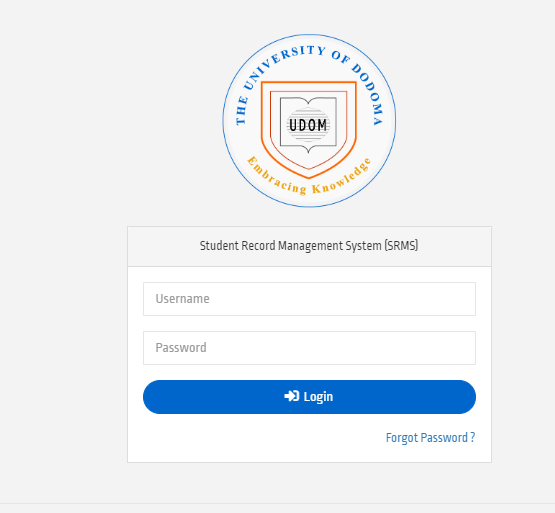
UDOM SR 2 Student Record Management System (SRMS) is an online portal designed by the University of Dodoma (UDOM) to manage and access student academic records. The system act as bridge to facilitate communication be tween educators and students academically as Educator may publish Course Work Assessment (CA) Particularly University of Dodoma Final Examination Results (UE Results). In the system students may preform some Tasks such as Course Registration, Semester Registration as well as Requesting Results Transcript.
Important Information to Access In UDOM SR2
In this article, get to know what information you will found within UDOM SR 2 System particularly Tasks in which University of Dodoma Student may perform. At all Students may generate Control to pay Tuition Fee particularly accommodation fees also, can register for semester and courses. Important Information listed below.
- Coursework assessment
- University Examination Results
- Payment Details
How to Login UDOM SR2 ?
In this section detailed guideline on how you can access and Login UDOM SR2. This comprehensive guides may useful to all Students admitted and registered at the University of Dodoma (UDOM) Without regarding year of studies. Follow the Steps Below.
1. Visit the University of Dodoma (UDOM) SR2. You can do this steps by using Browser which may have installed on you devices.
2. Navigate to Login Section: Fill Username and Password on UDOM SR 2 Home Page.
3. Enter Your Details: Type in your UDOM SR2 login password and username. These are usually provided by the university when you first sign up.
4. Click Login: “Login” button to access your sr2 udom login account.
NB: Access UDOM SR2 Account via Direct Link “https://sr2.udom.ac.tz/”
RELATED: ARIS 3 UDSM Login Best Steps to Access aris3.udsm.ac.tz
Leave a Comment