MU ARMS Is an acronym of Mzumbe University Academic Records Management System which designed digitally to facilitate academic tasks at Mzumbe University. The system revolutionized educational activities at Mzumbe University as Administrator and students preform various task within the system without involving physical movement as Student may Register Course and semester him self without the assistance of Technician. In this article, get detailed information about how you can use the system by surveying on how you can make payments of bill such as Tuition fees and Accommodation fees to hostel dweller particularly Mu Arms Results for First Semester as well as second semester.
Basic Features of MU ARMS
The System posses various features which ensure its efficiency particularly smooth educational tasks as every academic activities related with the results and course work assessment are organized with the portal system. The following are basic features of Mzumbe University Academic Records Management System.
1. The System featured with Student Registration.
Registration process at Mzumbe University simplified with the Use of Mu Arms where by Students admitted at Mzumbe University may create account for managing his or her academic task such that students may register a semester of studies particularly course required for a respective semester online without consult an Staff Member.
2. Bill Payment Feature.
In previous days students physically visited bursar’s office to settle their bill but with the use of MU ARMS Digital system students settle the bill via online system through various way such as M PESA, TIGO PESA, AIRTEL MONEY among others not listed here. This feature are more secured to ensure security during Transaction particularly keeping personal information secured or privacy to protect privacy policy.
3. Mu Arms Results Feature.
Important and crucial feature to the Students admitted at Mzumbe University as It is important to the Students to access the examination results particularly Coursework Assessments (CA) to make personal evaluation. Therefore, Students has to check his or her results online instead of waiting results slip.
4. Accommodation Management Feature.
The System simplified the whole processes of accommodation to the student deciding to live at campus by allocating room and hostel to them. Students may track every thing related to accommodation within the system including Accommodation Bill as well as Hostel and Room Number to whom have been allocated. MU-ARMS ensures that everything is managed efficiently.
Step by Step to Check MU-ARMS Results
The basic features of the Mzumbe University Academic Record Management System (MU ARMS) Has been covered successfully now get detailed information on how you can check the results via the system.
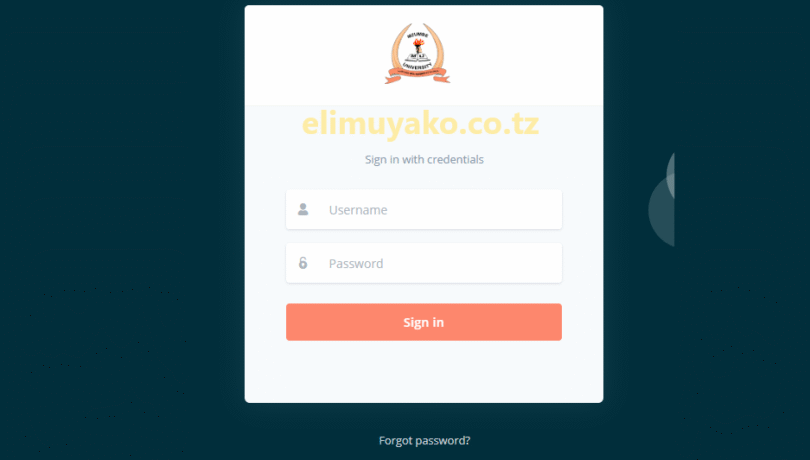
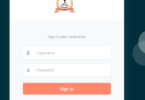
Step 1: Visit the Mzumbe University Academic Record Management System (MU ARMS) Login Webpage.
At this first step open any browser of your choice on your device which may be Smartphones, laptop or Computer. Use the Direct Link “https://arms.mzumbe.atzc./” to Access the Portal.
Step 2: Enter Your Required Information.
Once you have accessed the portal, the system will require you to fill important information which are username and password as created during registering an account.
Step 3: Click “Sign In”
Click the “Sign In” button to access your account. You’ll be taken to the MU-ARMS dashboard, where you can manage your academic tasks.
NB: After Sign In the System, You can now access The Results by selecting academics section where you can check results of registered semester.
RELATED: MU-ARMS Login – Chuo Kikuu Mzumbe

Leave a Comment