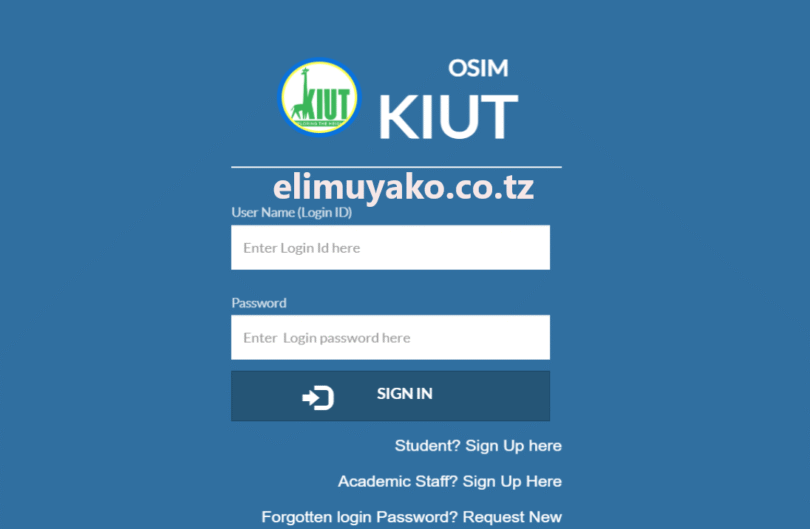
KIUT OSIM (Online Student Information Management System) is a digital online system developed by Kampala International University of Tanzania (KIUT) to facilitate learning and administrative activities at university campus. In this article, get detailed information on how you can create an accounts to Online Students Management System particularly how to recovery password to access your academic records and services such as Bill Payments.
Tasks Performed by Students at KIUT Via KIUT OSIM
Students administered at the Kampala International University of Tanzania (KIUT) may handle some tasks themselves by using a digital system which give them an access as follows:-
1. Students may Register for semesters and courses, students at KIUT Campus register courses and semester via Kampala International University of Tanzania (KIUT) digital online platform themselves without physical visiting to Course coordinator and other authorized authorities.
2. Also, may have an access to View academic results, at the Kampala University of Tanzania (KIUT) Students access there results individually by using Username and Password assigned to them during creating an account. Therefore, no hardcopy will be published by the university related to University Examination results instead every students will have an access to check it within the KIUT OSIM (Online Student Information Management System).
3. To Manage tuition fee payments, everything related to bill payments are managed within the system as students may generate bill number or control number for payments also, students may track tuition fees payments status.
4. Personal data: Also, Students at the Kampala International University of Tanzania (KIUT) access their personal details such as Full name, Contact information particularly academic related information’s.
Who Can Access KIUT OSIM ?
The portal has greater role in facilitating teaching and learning process at Kampala International University of Tanzania (KIUT). In ensuring the integration of science and technology, the portal serve services to several groups as listed below:-
- Newly admitted Students.
- Staff Member.
- Alumni.
Each Groups listed above may have been registered and identified by the university so as to have Username and Password to access all information. To access your account use the link “osim.kiut.ac.tz“
How to Sign In KIUT – OSIM ?
In this paragraph get to know best way and steps on how you can visit and sign in the Kampala International University Of Tanzania (KIUT) digital systems to access your information such as academic records as well as to generate bill for tuition fees payments.
-
Visit KIUT – OSIM Portal Via a Direct link “osim.kiut.ac.tz“
-
Enter Login Username which are commonly “KIUT Registration Number” assigned to students during registration.
-
Fill your Password.
-
Finally click Sign In.
If your new user who have not yet created account you need to click “Sign Up” Button to register and create account.
RELATED: UDOM SR2 Login Guides – Students Record Management System (SRMS)
Leave a Comment